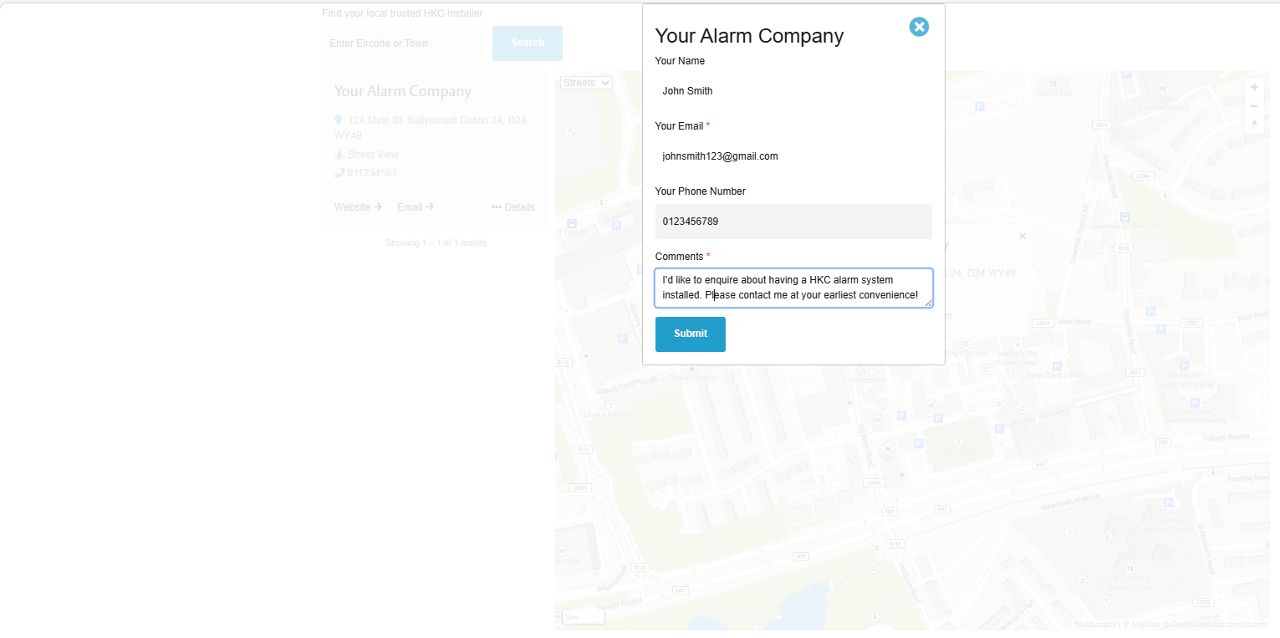
Creating Opportunities
Help us drive business your way by joining our HKC Installer Finder Tool
Get visible
As we invest in developing the HKC brand we'll be driving more and more traffic to our website, including end-users. As we don't sell direct to users this represents a real opportunity for our HKC approved installers.
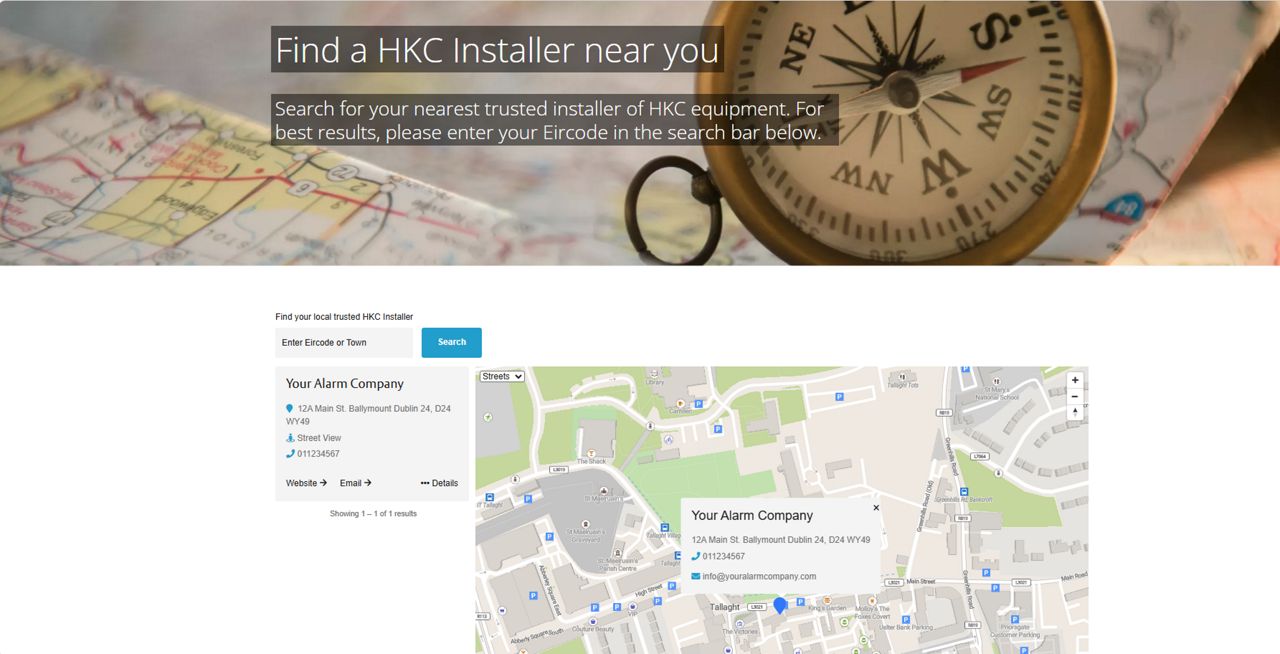
Make sure you're represented on the HKC Installer Finder tool - watch this video or follow the instructions below.
Interesting in becoming an approved HKC Installer?
Come join a security brand that’s working to generate opportunities for its installer network. Contact Us Here
Get started
Log in to your SmartLink 700 Engineer Software on your laptop or PC. Make sure you're the main administrator on the account

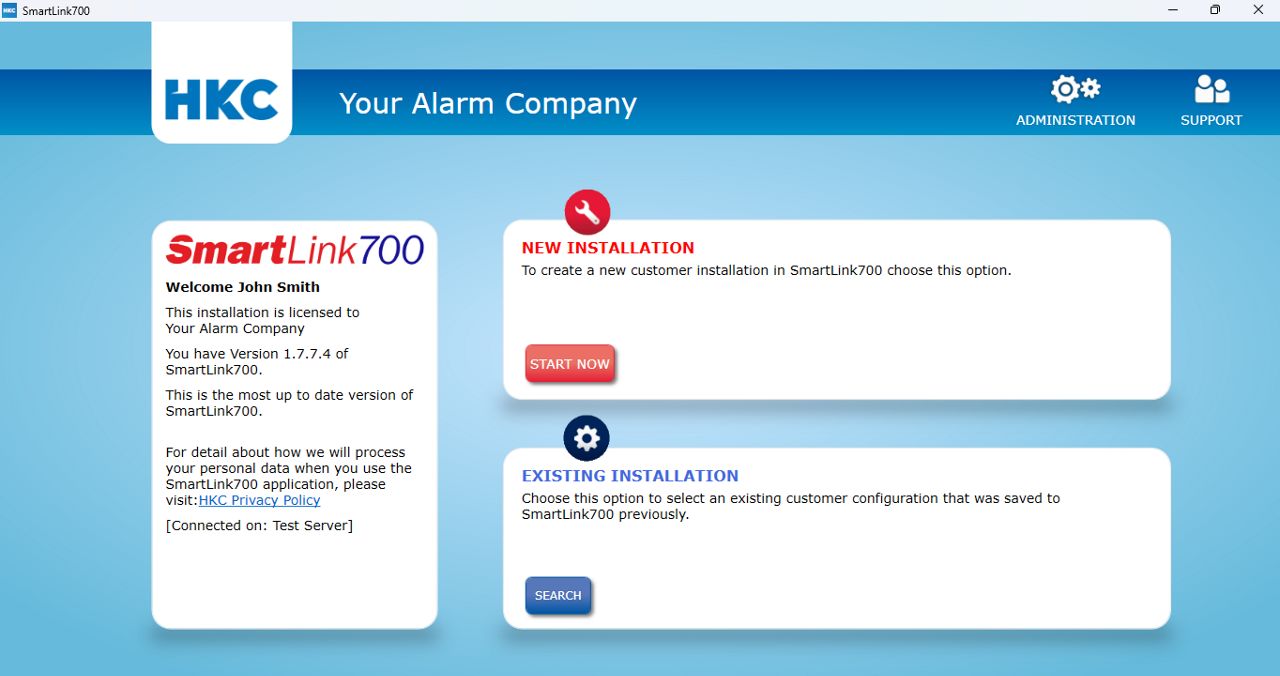
Check your details
Once you're in the administration section, check the address details on your account, ensuring it's showing the correct postcode. When it's correct, click on Installer Finder tab on the left hand side.

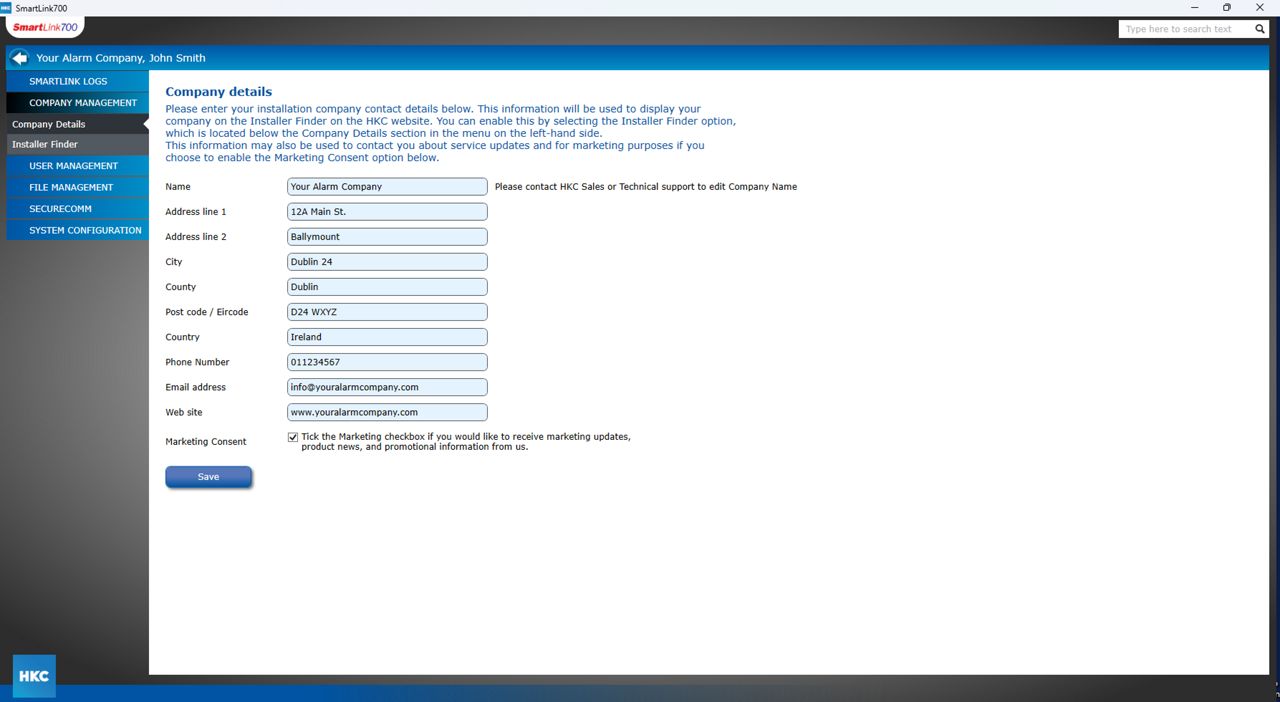
Consent and confirm
Confirm you want to appear on the installer finder by checking the box and then click save. You'll get a pop-up box confirmation.

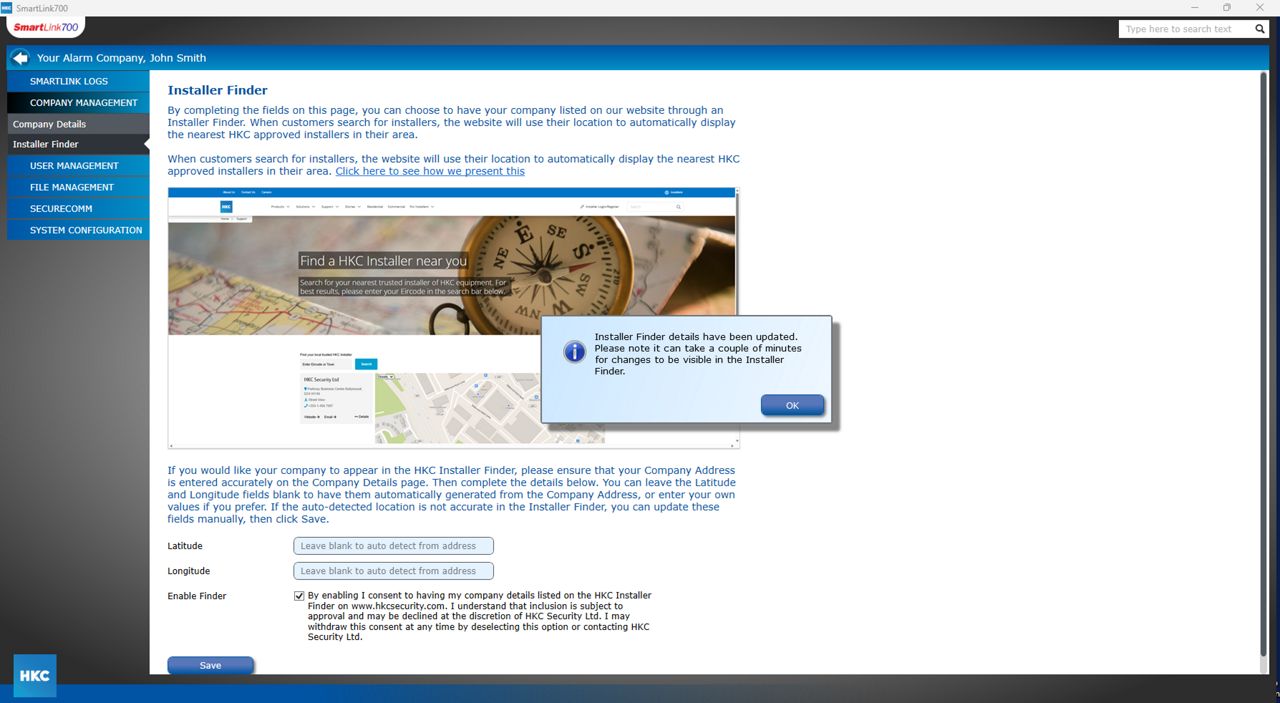
All done
And that's it. Wait a few minutes and then you'll be visible on our installer finder when customers search within your area.

Direct to you
When your contact details are shown, potential customers have the option to email their enquiry direct to you. Keep an eye on your inbox for those new opportunities.